


Baby Piano Games & Kids Music
4.399.00 Reviews
App Specs
- Version
- 35
- Updated On
- License
- Free
- Downloads
- 1,000,000+
- Developer
- GunjanApps Studios
- Categories
- Music
- Platform
- Android
Screenshots
 Analysis by AppCompare
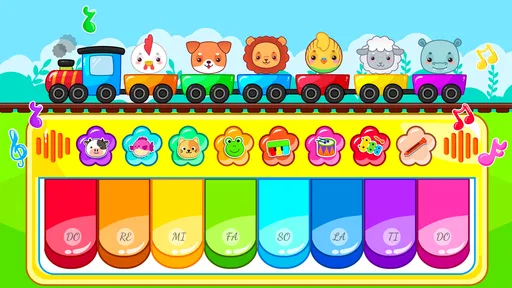
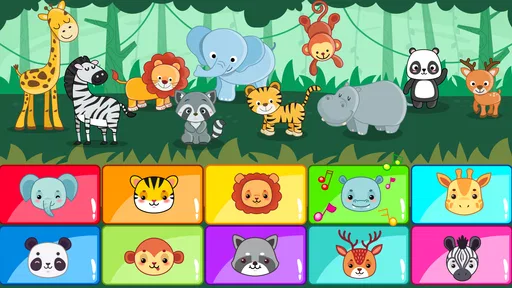
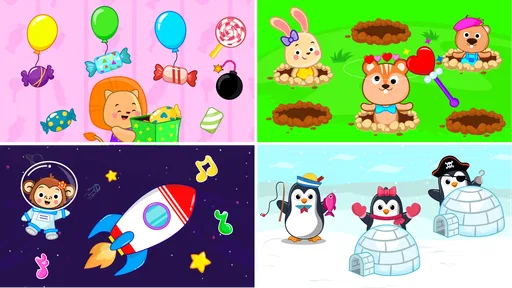
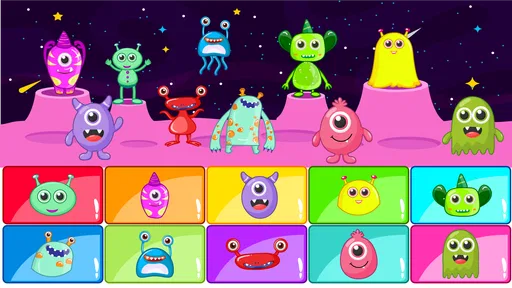
Baby Piano Games & Kids Music is the kind of app I would open when I want a young child to make music immediately, without first learning a complicated interface. It is a free music game from GunjanApps Studios, built around a bright collection of piano-style activities connected with vehicles, letters, numbers, songs, rhymes, and animal sounds. After spending time with it, I found its main appeal very clear: it turns short, playful taps into a small learning-and-discovery session.
The experience is aimed at children rather than adult musicians. That distinction matters. This is not a piano simulator for practicing scales, and it is not a structured music course with lessons and progress targets. It works better as an approachable touchscreen toy that lets a child explore sounds while becoming familiar with simple musical and educational themes. The Everyone age rating fits that broad, family-oriented purpose.
What impressed me most was how quickly a first-time user can reach a meaningful result. A child does not need to understand musical notation or read instructions fluently to begin experimenting. The first success is simply making a recognizable sound and choosing what to explore next. For a parent, that low barrier is more important than a long feature list.
What the first session feels like
When I think of the app’s strongest use case, I picture a short waiting-room session, a quiet moment before bedtime, or a parent sitting beside a child during a rainy afternoon. The child can tap through the musical material, listen, and repeat. Because the themes include familiar subjects such as animals, vehicles, letters, and numbers, the activity can move naturally between sound play and early-learning conversation.
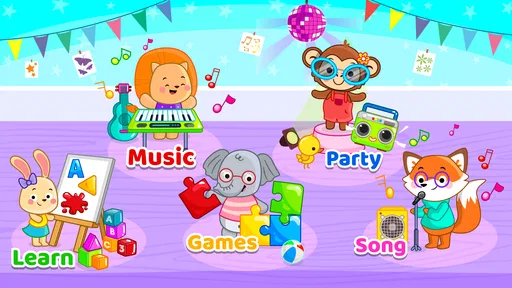
The store summary describes games, vehicles, alphabet, numbers, songs, and animal sounds alongside a baby piano and rhymes. In practical terms, that means the app is broader than a single virtual keyboard. I would not approach it expecting one deep game. Instead, I would treat it as a small collection of themed touch activities, useful when a child’s attention changes quickly.
That variety is helpful, but it also creates the app’s first minor challenge. A young user may jump from one subject to another without finishing anything. I found that this is not necessarily a problem; the app is more successful when the adult frames the session with one simple goal, such as “let’s find the animal sounds” or “let’s play with the numbers.” A little guidance turns random tapping into a more focused activity.
The game is available free of charge, which makes it easy to try without committing money first. There are in-app purchases ranging from under a dollar to several dollars per item, so I would still check the purchase settings before handing the device to a child. The free starting point is enough to judge whether the visual style and interaction suit your family, but parents should remain aware that optional purchases exist.
Worth Reading Before You Choose

EA SPORTS FC Mobile 26 Is a Bigger Football Game, but It Takes Time

Flipboard Shows What News Apps Must Do Beyond the Feed

Switching to Android Auto Means Rethinking Your Driving Routine

Google Calendar Makes a Crowded Week Easier to Manage

Ludo King Makes the Most of the Minutes Between Plans

Baby Panda World Brings Quick Play to Modern Phones, but Its Game Library Feels Busy
Getting ready for a child’s first try
Installation should be straightforward on a compatible device. The listed minimum operating system is Android 7.0, so owners of older phones or tablets should check compatibility before planning to use it. Once installed, I recommend opening the app yourself first. This takes only a moment, but it lets you see how the sections are arranged and decide which activity is best for the child’s age and attention span.
I also suggest lowering the device volume before the first launch, especially if you are testing it in a quiet room. Musical taps and animal sounds can be more energetic than expected when played through a phone speaker. After that, raise the volume to a comfortable level where the child can hear the response without needing to tap repeatedly just to confirm that something happened.
A tablet is likely to be more comfortable than a small phone when an adult and child are exploring together. The larger screen gives little fingers more room and makes it easier for a parent to point at an alphabet, number, vehicle, or animal choice. On a phone, the app can still be useful for a quick distraction, but shared play may feel cramped.
For a first session, I would avoid presenting every available theme at once. Pick one area and describe it in ordinary language: “Let’s make music,” “Let’s hear the animals,” or “Can you find a number?” This approach reduces decision fatigue and gives the child a clear starting point. It also makes it easier to notice whether the app’s sounds and pace are engaging.
Because this is a child-focused game, I would keep the device in a stable position rather than letting a toddler hold it while walking around. That is not a special requirement of this title; it is simply a sensible way to prevent accidental taps and make the interaction calmer. A parent nearby can also redirect the child if they leave the chosen activity too quickly.
How to reach the first meaningful success
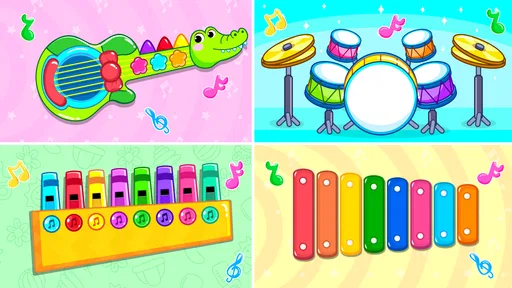
The most reassuring path is to begin with the piano-style interaction. Invite the child to tap one visible key or musical area, then pause and listen together. Rather than tapping rapidly across the whole screen, I found it more useful to model a simple pattern: one tap, another tap, then a pause. The child immediately learns that their action causes a sound, which is the basic loop that makes the rest of the app understandable.
Once the child has repeated that action, introduce a second theme. If the child is interested in animals, connect each sound with a question: “Which one was that?” If numbers are more appealing, count the taps aloud. With letters, say the letter before or after touching it. These small prompts turn the app from passive noise into a shared activity without requiring a formal lesson.
A particularly useful routine is to let the child choose the theme after the first successful interaction. The adult demonstrates one area, then hands over control and asks the child to select the next one. This gives the child a sense of ownership while keeping the session organized. It also reveals which content is genuinely interesting to them instead of assuming that every child will prefer the piano.
I would keep the first session short. The app is well suited to brief bursts because its attraction comes from immediate response and changing subjects, not from a long narrative that needs to be completed. Ending after a successful pattern or a small discovery is better than waiting until the child becomes frustrated. The next session can begin with the same familiar action and then add one new theme.
For toddlers, the goal may simply be cause and effect: touch, hear, repeat. For preschool children, an adult can add counting, sound identification, or letter recognition. Older children who already play an instrument may still enjoy the novelty, but they are unlikely to find enough depth here for serious practice. This is best understood as guided musical play, not a replacement for lessons.
Where parents and children may get confused
The broad selection can make navigation feel less obvious to a child who cannot yet read. Themes such as alphabet, numbers, songs, rhymes, vehicles, and animals are easy for an adult to explain, but a young child may not know what each choice will do. I found that pointing and naming the options works better than expecting the child to explore every button independently from the beginning.
Another possible confusion is the difference between a game and a music tool. The word “game” may suggest levels, scoring, or a clear win condition. This app’s appeal is more open-ended. The child explores sounds and themed interactions rather than working through a demanding challenge. If a child asks what they are supposed to win, I would explain that the activity is about discovering sounds and making simple patterns.
Parents should also be prepared for uneven attention. A child may love the animal sounds one day and ignore them the next, then return to the piano. That does not necessarily indicate a problem with the app. The range of themes is useful precisely because it permits a change of direction. I would use that flexibility instead of forcing the child to remain in one section.
Sound can become repetitive if the child taps the same element continuously. This is a natural limitation of any simple sound-based children’s app. A practical solution is to turn repetition into a mini challenge: ask the child to create a two- or three-sound pattern, copy the adult’s rhythm, or switch to a different category after a few attempts. These prompts add variety without pretending the app contains a full composition system.
The presence of optional purchases is another point worth handling before a child uses the device alone. Since individual items can cost from $0.99 to $6.99, I would use the device’s purchase protections and avoid leaving payment confirmation entirely in a child’s hands. The game is free to start, but a family’s experience can become less predictable if a child is allowed to explore purchase screens without supervision.
How it compares with ordinary alternatives
Compared with a standard piano app, this game is less focused on realistic keyboard practice and more approachable for very young users. A conventional piano app may offer a larger keyboard, recording tools, or a more serious layout, but those features can overwhelm a toddler. Baby Piano Games & Kids Music wins when the priority is immediate discovery across several child-friendly themes.
Compared with educational flashcard apps, it adds a stronger sound-and-touch element. Letters and numbers are not presented only as images to memorize; they can become part of an interactive moment. On the other hand, families looking for a carefully sequenced reading or counting curriculum should choose a dedicated learning app instead. This title can support conversation and repetition, but I would not use it as the sole teaching method.
Compared with nursery-rhyme video apps, it is more interactive because the child’s taps are central to the experience. That can be a meaningful advantage when you want participation rather than passive viewing. The trade-off is that a video may deliver a more polished, complete song, while this app is better at letting the child control small pieces of the activity.
Compared with a real toy piano, the phone or tablet is more compact and can connect music with animals, vehicles, letters, and numbers in one place. A physical instrument, however, offers tactile feedback that a flat screen cannot match and does not depend on keeping a device charged. I see the app as a convenient companion for travel or short sessions, not as a reason to replace hands-on musical toys altogether.
Who will get the most from it
I would recommend it most strongly to parents of toddlers and preschoolers who want a simple way to introduce musical cause and effect. It is also a good fit for families who need a quick, low-pressure activity that can shift between sounds and early-learning themes. The Everyone rating and free entry point make it approachable for a broad family audience.
It can also work well for an adult-child routine. For example, after dinner, a parent might spend a few minutes on the piano area, ask the child to copy a short rhythm, then move to animals and identify two sounds. The activity ends before it becomes tiring. That routine uses the app’s variety without demanding that it provide a complete lesson.
I would be more cautious about recommending it to children who need strong structure, detailed progress tracking, or advanced musical instruction. A child who wants songs arranged as lessons, a musician who needs accurate practice tools, or a parent seeking a complete early-literacy program will probably be happier with a specialized alternative. The app’s value comes from accessibility and variety, not depth in one discipline.
It may also be a poor choice if you need a completely hands-off activity. The child can explore independently, but the best educational value comes when an adult adds questions, names sounds, and sets a small goal. Without that involvement, the session may become repetitive tapping rather than meaningful play.
What to try after the first session
After the child understands the basic tap-and-listen loop, I would introduce a simple rotation. Begin with music, move to one educational theme, and finish with the child’s favorite sound category. This gives the session a beginning, middle, and end while still allowing choice. It also helps a parent judge whether the app remains engaging beyond the novelty of the first launch.
Try using the same theme in different ways. With numbers, count taps or ask the child to find a particular number. With letters, say the sound or name aloud and look for a familiar initial. With animals, imitate the sound and invite the child to identify it. With vehicles, connect the sound or image to something the child has seen outside. The app supplies the prompt; the adult supplies the context.
A useful advanced habit is to watch for overstimulation rather than assuming more content is better. If the child is tapping quickly and no longer listening, pause the activity and return later. The abundance of themes is a strength only when used selectively. One focused interaction can be more valuable than touching every available option in a single sitting.
It is also worth checking the app after installation to see whether the current experience feels comfortable on your particular device. The listed current version is 35, and the game has been available since June 4, 2017, so it has had a long presence in the mobile app space. Still, screen size, speaker quality, and the child’s age will affect how enjoyable it feels in your home.
The app has an average rating of 4.3 from around 5.5 thousand ratings, with over a million installs, which suggests that many families have found the basic concept useful. I would treat that popularity as a reason to try it, not as a guarantee that every child will respond to the same sounds or layout. Children’s preferences differ quickly, especially in this age group.
My final view is positive, with realistic expectations. Baby Piano Games & Kids Music is a friendly first step into touchscreen music play, especially when a parent wants something more interactive than a video and less demanding than a formal piano tool. Its best qualities are immediate feedback, familiar themes, and the freedom to move between musical and educational sounds. Its limits are equally clear: it is not a complete curriculum, not a serious instrument simulator, and not ideal as an unsupervised replacement for shared play.
If you approach it as a short activity for discovering sounds, copying rhythms, naming animals, and talking about letters or numbers, I think it earns its place on a family device. My recommendation is to start with one theme, celebrate the first successful sound pattern, and let the child choose the next small discovery. That simple path makes the app feel reassuring from the first tap and gives its variety a useful purpose.
Pros
- Bright
- child-friendly visuals make the piano easy for toddlers to explore.
- Simple touch controls work well for young children with limited coordination.
- Includes playful sounds and songs that encourage musical curiosity.
- Short activities suit brief play sessions and help maintain attention.
- Offline access makes it convenient for travel or areas without internet.
Cons
- Some content may feel repetitive after extended play sessions.
- Ads or in-app purchases may require parental supervision.
- Limited musical depth may not satisfy older children or beginners.
- Sound effects can become loud or distracting without device volume limits.
- Compatibility and performance may vary across older phones and tablets.
FAQs for Baby Piano Games & Kids Music
What is Baby Piano Games & Kids Music?
Baby Piano Games & Kids Music is an interactive educational app designed for babies, toddlers, and preschool children. It combines colorful piano keys, cheerful sounds, nursery-style melodies, animal noises, and simple musical activities. The interface is generally easy for young children to explore, allowing them to tap, listen, and experiment with sounds without needing advanced reading or coordination skills.
Is Baby Piano Games & Kids Music suitable for my child’s age?
The app is mainly intended for very young children, commonly babies, toddlers, and preschoolers, although the ideal age can vary depending on the child’s development. Younger children may enjoy tapping the keys and discovering sounds, while older preschoolers may engage more with songs and musical games. Parents should check the store listing for the current recommended age range.
Does the app require an internet connection?
Many basic piano activities and sound features may work offline after the application has been installed, which is useful for travel or situations without reliable internet access. However, advertisements, optional content, updates, or links to other features may require a connection. Before giving the device to a child, it is advisable to open the app once and confirm which activities are available offline.
Is Baby Piano Games & Kids Music safe for children to use?
The app is designed with a child-friendly interface, bright visuals, and simple touch controls, but parents should still supervise its use. Review the privacy information, advertising settings, and any in-app purchase options before allowing independent play. It is also recommended to enable parental controls on the device, disable unwanted purchases, and limit screen time according to the child’s age.
Are there advertisements or in-app purchases in the app?
Depending on the version and platform, Baby Piano Games & Kids Music may include advertisements, optional paid content, or in-app purchase features. These details can change after updates, so parents should verify the current Google Play or App Store listing before downloading. If ads appear, supervision is especially important because young children may accidentally tap banners, videos, or external links.


